Run Faros locally
Create a self-contained hub, providers, and edge on your laptop with faros dev init.
faros dev init builds a complete Faros environment in one kind
cluster on your machine. It runs the hub, the default providers, and an agent that joins the same cluster as an edge. Nothing is exposed to the internet, and you can delete it with one command. You need the Faros CLI first; install the CLI
if you have not already.
Use it to evaluate Faros, follow the tutorials offline, or develop against a hub you control. The command is in preview, and it is not a production installation. For a hub that other people use, see Self-hosting .
Prerequisites
| Tool | Why |
|---|---|
| Docker | Runs the kind cluster. It must be running before you start. |
| kind | Creates the local Kubernetes cluster. |
| kubectl | Reaches the cluster and the edge. |
| Faros CLI | Creates the environment and logs in to it. |
Helm
is only needed to connect extra clusters by hand. faros dev init installs the hub, provider, and agent charts itself.
Create the environment
faros dev initThe first run downloads the charts and container images. The command works through these stages and prints each one:
- Creates the
faros-hubkind cluster, or reuses it if it already exists. - Installs cert-manager and a local certificate authority, then the hub Helm chart.
- Installs Envoy Gateway to serve published apps under
*.apps.127.0.0.1.sslip.io. - Onboards and installs each provider into the
faros-providersnamespace. AI agents and App Studio each get their own Postgres. - Enables every provider in the
defaultworkspace of the dev user’s personal organization. - Joins the cluster to the hub as the edge
local, and waits until it is Ready.
It ends with a summary like this:
faros dev environment is ready!

Configuration:
  Hub cluster kubeconfig: faros-hub.kubeconfig
  faros server URL: https://console.127.0.0.1.sslip.io:9443
  faros UI URL:     https://console.127.0.0.1.sslip.io:9443/ui
  Published apps:   https://<app>.apps.127.0.0.1.sslip.io:10443
  Static auth token: dev-token
  Dev CA:           faros-hub-ca.crt (signs the hub and app certificates)
  Providers (namespace faros-providers): edges, infrastructure, code, agents, app-studio
Edge "local": this kind cluster, agent in namespace faros-agentA few things to know about that summary:
- The hub URL resolves through public DNS. Every
*.127.0.0.1.sslip.ioname points to127.0.0.1, so there is nothing to add to/etc/hosts. faros-hub.kubeconfigandfaros-hub-ca.crtare written to the current directory. The first reaches the kind cluster directly. The second is the dev certificate authority that signs the hub and app certificates.- The static token
dev-tokenis how you sign in. That is fine on a laptop and nowhere else.
Running faros dev init again is safe. It reuses the existing cluster, reapplies the charts, and skips the edge and agent if they already exist.
Common variations:
| Command | Effect |
|---|---|
faros dev init --providers edges,quickstart | Install only the providers you list. App Studio always brings Infrastructure along. |
faros dev init --providers "" --with-edge=false | Hub only, with no providers and no edge. |
faros dev init --worker-count 1 | Add plain kind clusters for connecting more edges by hand. |
faros dev init --hub-https-port 9444 | Serve the hub on another host port when 9443 is taken. Use that port in the hub URL. |
faros dev init --chart-version 0.1.31 | Pin the hub chart. --provider-chart-version pins the provider charts. |
The faros dev init reference
lists every flag, including local chart paths for developing Faros itself.
Log in
faros login --hub-url https://console.127.0.0.1.sslip.io:9443 --insecure-skip-tls-verify --token dev-token
faros use
faros use makes an organization and workspace active. Pick the default workspace in the personal organization named after the static-token user; that is where the providers and the local edge were enabled.
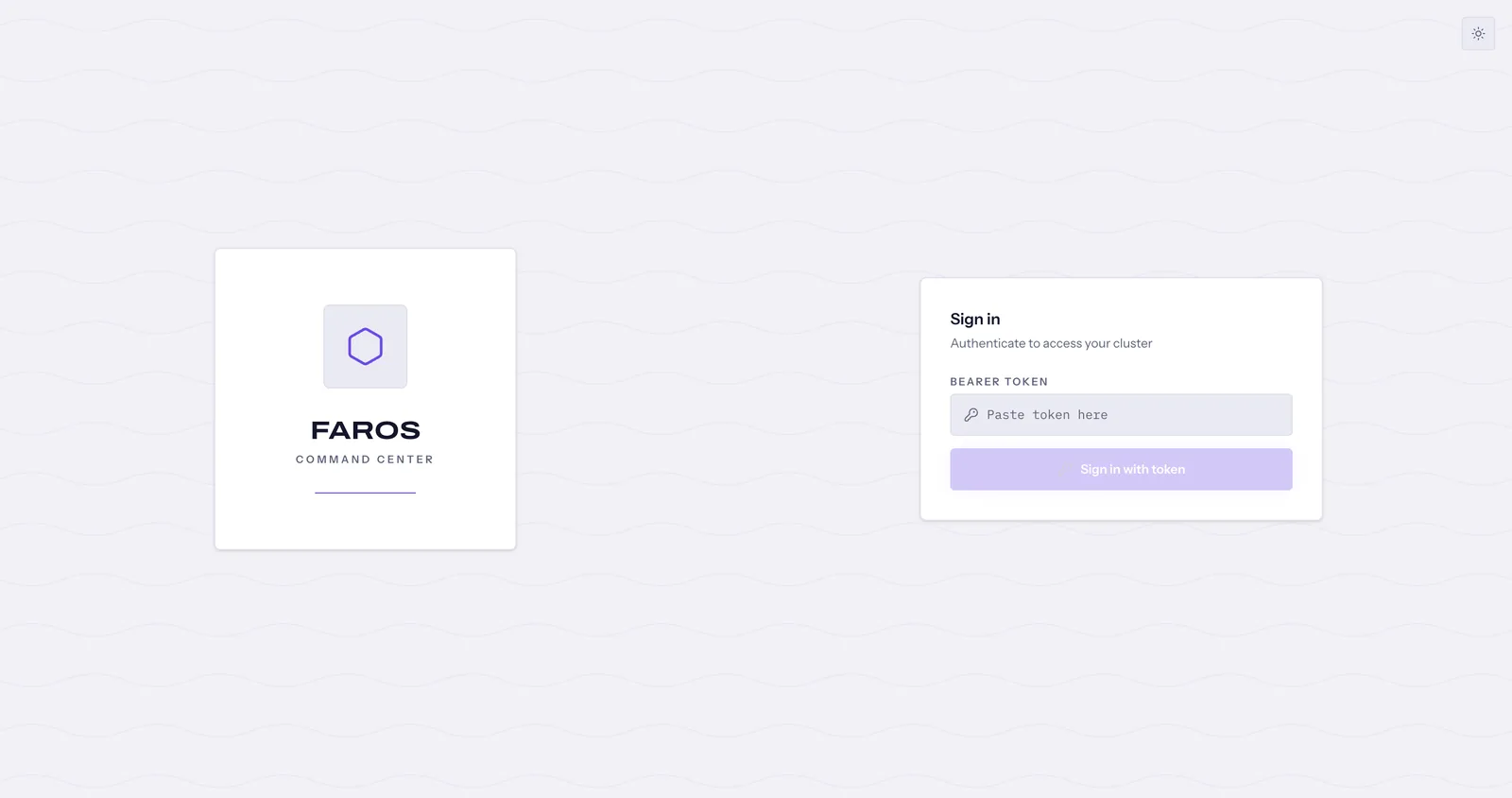
To use the console, open https://console.127.0.0.1.sslip.io:9443/ui, accept the self-signed certificate, and paste dev-token on the sign-in page.
Verify
faros edge list                                   # local shows Ready
faros edge get local                              # details for the edge
faros edge kubeconfig local > local.kubeconfig
kubectl --kubeconfig local.kubeconfig get nodes # reaches the kind cluster through the hubExpected result: local is Ready and kubectl lists the kind node. The request goes through the hub, which authorizes it as you in the workspace.
Connect an AI assistant
The local hub’s certificate is signed by the dev certificate authority, so the client has to trust faros-hub-ca.crt:
faros mcp claude --ca-file faros-hub-ca.crt
NODE_EXTRA_CA_CERTS=$PWD/faros-hub-ca.crt claudeFor Codex, run faros mcp codex --ca-file faros-hub-ca.crt and start Codex with the CODEX_CA_CERTIFICATE line it prints. For any other client, faros mcp url --mcpserver-name default prints the endpoint and configuration snippets. Install the Faros skill with faros skills install so the assistant knows the workflows; see AI assistants and MCP
.
Apps, models, and GitHub
- Published apps are served at
https://<app>.apps.127.0.0.1.sslip.io:10443through a gateway in the cluster, with the same self-signed certificate. - Model credentials for AI agents and App Studio are created per workspace in the console under Models.
- GitHub sign-in for the Code provider needs
GITHUB_OAUTH_CLIENT_IDandGITHUB_OAUTH_CLIENT_SECRETset when you runfaros dev init. Registerhttps://console.127.0.0.1.sslip.io:9443/services/providers/code/oauth/github/callbackas the OAuth App’s callback. Without them, add a GitHub token as a connection in the console.
Update and clean up
faros dev update    # upgrade the hub release in the existing environment
faros dev delete # remove the environmentPass faros dev delete the same --worker-count you used at creation so the extra clusters are removed too.
To inspect the kind cluster itself rather than going through the hub, point kubectl at the kubeconfig the command wrote:
export KUBECONFIG=$PWD/faros-hub.kubeconfig
kubectl get pods -ATroubleshooting
- Docker is not running. Start Docker and run
faros dev initagain. - Port 9443 is already in use. Delete the previous environment with
faros dev delete, or pick another port with--hub-https-portand use it in the hub URL. faros loginsays OIDC is not configured. The local hub uses a static token. Pass--token dev-token.- The
localedge never becomes Ready. Follow the agent logs withkubectl --kubeconfig faros-hub.kubeconfig -n faros-agent logs deploy/faros-agent -f, and the edges provider withkubectl --kubeconfig faros-hub.kubeconfig -n faros-providers logs deploy/edges -f. - Provider onboarding fails. Check pod health with
kubectl --kubeconfig faros-hub.kubeconfig get pods -A, then read the failing provider’s logs in thefaros-providersnamespace.--with-dexdisables token login, so it also skips providers and the edge. - The App Studio preview panel stays on “Preview is getting ready”. The embedded preview does not load in the local environment. Open the development instance’s URL from Application Templates → Instances instead; it signs you in through the hub.
Next steps
- Choose your first task . The default providers cover the first-task tutorials.
- Install a hub with TLS, OIDC, and ingress when other people need access.